
Email Aliases vs. Temporary Inboxes: Which Should You Use?
By CatchTempMail · Published August 2, 2026
You want to sign up for a website without giving it your primary email address. Should you create an email alias or use a temporary inbox?
Both can keep your main email address private, but they solve different problems.
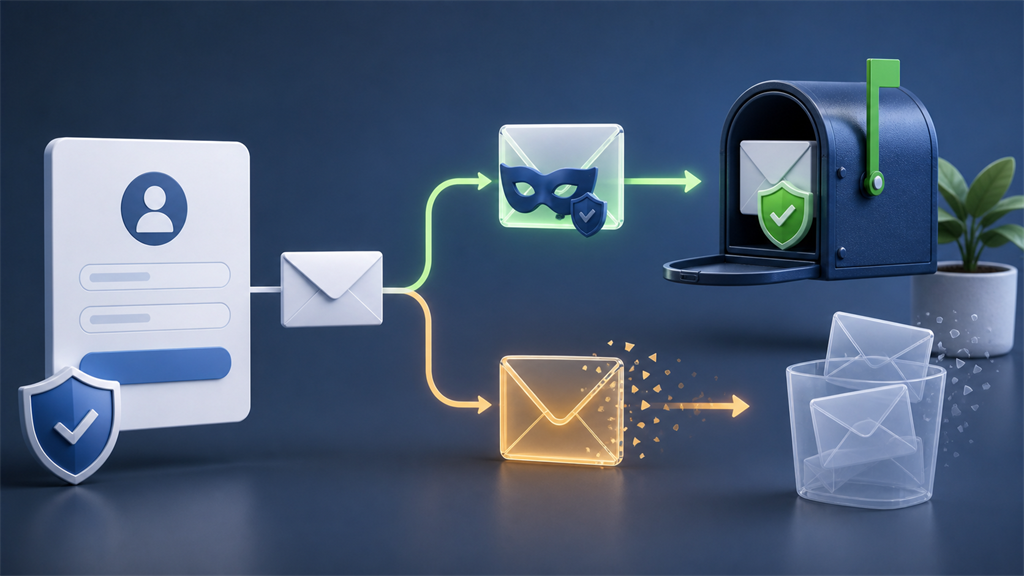
An email alias usually acts as a forwarding address. Messages sent to the alias are delivered to an email account you already use, allowing you to maintain long-term access without revealing your primary address.
A temporary inbox gives you a separate, short-lived mailbox. You receive messages directly in that inbox, typically without forwarding them to your permanent account, and the address or its messages may expire after a limited period.
The simplest distinction is:
Use an alias when you want to keep the account. Use a temporary inbox when you want to keep the interaction temporary.
This guide explains how email aliases and temporary inboxes work, their privacy advantages and limitations, and which option makes more sense for different situations.
What is an email alias?
An email alias is an additional email address that hides your primary email address.
Instead of giving a website:
yourname@example.comyou might give it an alias such as:
shopping-7x29@example-alias.comMessages sent to the alias are then forwarded to your real inbox.
The website sees the alias. You continue reading the messages from your normal email account.
Some alias services also let you reply to messages while keeping your real address hidden.
Apple's Hide My Email, for example, generates random email addresses that forward messages to an address associated with your Apple Account. Apple also allows users to deactivate and reactivate those addresses.
Firefox Relay works similarly: its email masks forward messages to your real inbox without revealing the underlying address, and forwarding can be disabled for individual masks.
Other dedicated alias services provide similar functionality, sometimes including custom domains, replying through aliases, and creating a different address for every website.
What is a temporary inbox?
A temporary inbox is a separate mailbox designed for short-term use.
You generate an address, such as:
random-address@example.netand messages sent to that address appear directly in the temporary inbox.
You do not necessarily create an account, connect your permanent mailbox, or configure forwarding.
Depending on the provider, the inbox or its messages may expire automatically.
Temporary email is particularly useful when you need to:
- Receive one verification email
- Test a registration process
- Download a resource
- Try a service
- Receive a one-time code
- Avoid a newsletter signup
- Keep a low-value registration away from your real inbox
With Catch Temp Mail, for example, the purpose is to let you receive short-lived email without exposing your regular address or filling your permanent mailbox with messages you may never need again.
Email aliases and temporary email have the same starting goal
Both tools address a common problem:
You do not necessarily want every website to know your permanent email address.
Your primary email address is often a surprisingly valuable identifier.
You may use the same address for:
- Shopping
- Social media
- Financial accounts
- Work
- Newsletters
- Forums
- Travel
- Subscriptions
- Online services
- Password recovery
Once an organization knows that address, it may retain it for years.
If the organization suffers a data breach, sells or shares marketing information, or simply sends too much email, your permanent address is affected.
Both aliases and temporary inboxes let you provide another address instead.
The difference is what happens after the message arrives.
The key difference: forwarding versus a separate inbox
With an alias, the usual flow looks like this:
Website
   ↓
Email alias
   ↓
Your permanent inbox
With temporary email:
Website
   ↓
Temporary inbox
That small architectural difference changes how the two tools should be used.
An alias is designed to maintain a connection between the sender and you.
A temporary inbox is designed to minimize that connection.
Email alias vs. temporary inbox at a glance
| Feature | Email alias | Temporary inbox |
|---|---|---|
| Hides your primary email address | Yes | Yes |
| Messages reach your normal inbox | Usually | Usually not |
| Separate inbox | Usually no | Yes |
| Designed for short-term use | Not necessarily | Yes |
| Good for long-term accounts | Yes | Usually no |
| Good for one-time registration | Yes | Excellent |
| Useful for password recovery | Usually yes | Usually no |
| Can stop future email | Usually | Yes, often automatically |
| Requires permanent email account | Usually | Often no |
| Keeps unwanted messages out of main inbox | Partially | Yes |
| Good for newsletters | Yes | Sometimes |
| Good for software testing | Sometimes | Yes |
| Good for purchases | Often | Only low-risk cases |
| Good for banking | Potentially, depending on service | No |
| Future access expected | Yes | No |
When an email alias is better
Aliases are best when you want privacy without giving up long-term communication.
Shopping accounts
Suppose you regularly shop at an online store.
You need to receive:
- Order confirmations
- Shipping notifications
- Receipts
- Return instructions
- Password resets
- Customer-service responses
A temporary inbox would create unnecessary risk because you may need those messages months later.
An alias lets the store communicate with you while keeping your actual address hidden.
If the store eventually starts sending excessive marketing emails, you may be able to disable that particular alias without changing your primary email address.
Paid subscriptions
An alias is usually more appropriate for:
- Streaming services
- Software subscriptions
- Cloud services
- Memberships
- Newspapers
- Online tools
These accounts may need future password recovery or billing communication.
Newsletters you actually want
A newsletter is not necessarily something you want to hide from permanently.
An alias can give each newsletter a unique address while still delivering the content into your usual inbox.
This has another benefit: if an alias created exclusively for Company A later starts receiving unrelated messages, you have a clue that the address may have been shared, exposed, or leaked.
Online accounts you plan to keep
Aliases work well for accounts where you want ongoing access but do not want your primary address stored by another company.
Examples include:
- Forums
- Gaming accounts
- Developer tools
- Productivity applications
- Travel websites
- Communities
- Retail loyalty programs
Account recovery
This is one of the most important advantages.
If an alias remains active and continues forwarding messages, you can still receive password-reset and security emails months or years later.
A temporary inbox cannot reliably provide that guarantee.
When a temporary inbox is better
Temporary email works best when the email relationship has little or no future value.
One-time verification
A website asks you to confirm an address before granting access.
You need exactly one message.
If you do not care about the account afterward, forwarding future mail into your permanent inbox provides little benefit.
A temporary inbox is ideal for this kind of interaction.
Gated downloads
Some websites require an email address before allowing you to download:
- A PDF
- Template
- Whitepaper
- Checklist
- Sample
- Report
- Trial file
You may want the resource without joining another marketing database.
A temporary inbox lets you receive the download message without exposing your permanent address.
Trying an unfamiliar service
Maybe you are not yet sure whether a website is useful or trustworthy.
Instead of immediately giving it an address you have used for ten years, you can evaluate the service with a disposable inbox.
If you eventually decide to create a permanent account, use a permanent address or alias.
Software testing
Temporary inboxes are particularly useful for developers and QA teams.
Testing may require repeatedly creating new users to verify:
- Registration emails
- Password-reset emails
- Magic links
- One-time passwords
- Email-change confirmations
- Notification templates
- Transactional messages
Creating long-term aliases for dozens or hundreds of test accounts would be cumbersome.
Temporary inboxes are naturally suited to disposable test identities.
Situations where future email is undesirable
Sometimes the goal is not merely to hide your address. You do not want the resulting messages entering your regular mailbox at all.
A temporary inbox provides stronger separation because no forwarding is required.
The biggest privacy difference
An alias hides your permanent address from the website, but messages still eventually reach your permanent mailbox.
That means there is a deliberate connection:
Alias -> Permanent inboxThe forwarding provider must know where the alias should deliver mail.
With a temporary inbox, there may be no permanent destination involved at all.
That can provide stronger compartmentalization for one-time interactions.
However, it does not mean temporary email makes you anonymous.
The website may still receive:
- Your IP address
- Cookies
- Browser characteristics
- Device information
- Phone number
- Payment information
- Username
- Anything else you submit
Both aliases and temporary email primarily protect the email-address layer of your identity.
Which is better for spam?
It depends on what you want to happen to future messages.
With an alias, spam can continue reaching your real inbox until you disable or filter the alias.
The advantage is control.
If every service receives a different alias, you can disable only the address that starts receiving unwanted messages.
Firefox Relay Premium can filter promotional email while continuing to forward important messages.
With temporary email, future spam often becomes irrelevant once the inbox expires.
Nothing needs to be unsubscribed from because the address itself was intended to be temporary.
For a one-time registration, temporary email therefore provides a cleaner solution.
For a long-term account, an alias provides better control.
Which is better after a data breach?
Both can reduce exposure of your primary address.
Suppose you create an account using:
store123@example-alias.cominstead of:
your-real-address@example.comIf the store's database is later breached, the exposed record contains the alias rather than your primary address.
Similarly, a temporary address used for a disposable registration prevents that particular service from storing your primary address.
The advantage of aliases is that you may be able to disable the exposed alias while keeping the underlying inbox unchanged.
The advantage of temporary email is that the exposed address may already be useless because the inbox has expired.
Neither protects other information stored by the breached service.
A breach could still expose:
- Password hashes
- Name
- Phone number
- Shipping address
- Purchase history
- Account IDs
- IP logs
- Payment-related information
Using another email address reduces one piece of exposure. It does not secure the website's database.
Which is better for password recovery?
Email alias, by a large margin.
If the alias is designed for long-term forwarding and you maintain control of it, password-reset messages can continue reaching you.
A temporary inbox may disappear.
If you create a valuable account using temporary email and later forget your password, the website may send the recovery link to an address you can no longer access.
You could permanently lose the account.
That is why temporary email should generally not be used when account recovery matters.
Which is better for responding to email?
Aliases usually win.
Some alias systems support replies while continuing to hide the underlying mailbox.
Apple's Hide My Email allows replies from supported Apple Mail workflows while keeping the real address private.
Firefox Relay Premium similarly supports replying through a mask without exposing the user's actual email address, subject to its service limitations.
SimpleLogin uses reverse aliases so replies can be relayed while keeping the underlying mailbox hidden.
Temporary inboxes are generally optimized for receiving email rather than maintaining a long-running conversation.
That makes aliases better for customer support, subscriptions, shopping, and other ongoing relationships.
Which is better for newsletters?
Usually an alias.
If you genuinely want the newsletter, forwarding it into your normal mailbox makes sense.
Creating a unique alias for each newsletter can also give you granular control. When one becomes noisy, disable that alias without affecting anything else.
Use temporary email instead when you need to receive an initial email but have no interest in future newsletters.
Which is better for free trials?
It depends on whether you may become a customer.
If you are genuinely evaluating a product and might eventually subscribe, an alias is more convenient because you retain the account and its history.
If it is a disposable demo or short-lived test account with no future value, temporary email may be more appropriate.
Temporary email should not be used to repeatedly circumvent a service's free-trial restrictions or other access controls.
The purpose is privacy and inbox separation, not bypassing a website's rules.
Which is better for shopping?
For an actual purchase, usually an alias.
Online purchases can generate important messages long after checkout:
- Delivery notices
- Returns
- Refunds
- Warranty information
- Recalls
- Support messages
- Receipts
Losing access to the registered email address can make these processes harder.
A temporary inbox may make sense for browsing, getting a nonessential coupon, or another interaction with no ongoing value.
But once money or ownership is involved, a durable address is generally safer.
Which should you use for banking?
Neither disposable email nor a short-lived address should be used as your only long-term contact method for an important financial account.
If a financial institution permits aliases and your alias service is reliable, a unique long-term alias may offer useful separation from your primary address.
But the alias needs to remain under your control.
A temporary inbox is inappropriate for banking, investing, loans, cryptocurrency exchanges, or other important financial services because you may need security alerts and account-recovery messages years later.
Which is better for social media?
For a social account that matters, use a permanent address or durable alias.
Even a profile created casually can eventually accumulate:
- Followers
- Photographs
- Messages
- Contacts
- Purchases
- Creator revenue
- Business access
If the temporary inbox disappears, recovering a compromised account may become difficult.
Temporary email makes more sense for a genuinely disposable test profile where losing access has no consequence and where doing so complies with the platform's rules.
Which is better for developers?
Both can be useful, but for different purposes.
Aliases are useful for:
- Permanent developer accounts
- GitHub or GitLab accounts
- Cloud platforms
- SaaS subscriptions
- Domain registrars
- Monitoring services
- Developer newsletters
Temporary inboxes are useful for:
- Automated signup testing
- End-to-end tests
- QA accounts
- Password-reset testing
- Magic-link testing
- Verification-code testing
- Staging environments
- Repeated test-user creation
A developer might use aliases for infrastructure accounts while using temporary inboxes for disposable test identities.
Can websites detect aliases?
Sometimes, but detecting aliases is substantially different from identifying temporary-email domains.
Many aliases look like ordinary email addresses.
Some are provided through well-known alias domains. Others use custom domains owned by the user.
SimpleLogin supports both randomly generated aliases and user-created aliases, including aliases associated with custom domains.
This makes a blanket distinction between an "alias address" and a "normal address" difficult.
From a website's perspective, the important question should usually be whether the address can receive legitimate communication, not whether the user chose to protect their primary mailbox.
Can websites detect temporary email?
Sometimes.
Websites may identify domains associated with temporary-email services and decide not to accept them.
Organizations may do this to reduce:
- Fraud
- Spam registrations
- Automated accounts
- Repeated promotions
- Account abuse
Temporary-email detection is not perfect. New domains appear, legitimate users use forwarding and privacy systems, and people can create disposable addresses through ordinary email providers.
Sites therefore often combine email checks with rate limiting, behavioral analysis, phone verification, fraud scoring, and other signals.
Temporary-email users should respect the rules of the service they are accessing.
Do aliases prevent email tracking?
Not automatically.
An email forwarded through an alias can still contain:
- Tracking pixels
- Tracked links
- Unique campaign identifiers
- Marketing parameters
Your email provider or alias service may apply its own privacy protections, but an alias itself does not inherently remove tracking.
If you click a unique tracked link, the sender may still associate that click with the alias.
The main benefit is that the sender does not necessarily know the permanent address behind it.
Do temporary inboxes prevent email tracking?
Not necessarily.
A tracking pixel can potentially operate in any inbox that loads its remote image.
A temporary address changes which email identity the sender associates with the tracking event, but it does not automatically block the request.
Likewise, opening a tracked link may reveal additional information about your browsing session.
Temporary email and tracking protection solve different problems.
What happens when an alias starts receiving spam?
One of the strongest features of aliases is the ability to identify and isolate the problem.
Imagine you created:
store-a@example-alias.comonly for Store A.
Months later, that address starts receiving unrelated marketing.
You now know that the address originated with the relationship involving Store A. That does not prove Store A intentionally sold it, the address could have been exposed in a breach or through another party, but it gives you useful information.
You can then disable the alias while leaving every other account untouched.
Apple allows Hide My Email addresses to be deactivated and managed individually, and Firefox Relay similarly allows forwarding to be disabled for individual masks.
With temporary email, the inbox may simply have expired before the spam arrives.
Why not use aliases for everything?
You can use aliases very broadly, but there are tradeoffs.
Your permanent inbox can still become crowded
Every alias ultimately forwards into the same mailbox unless you create filters.
You depend on the forwarding service
If the alias provider has an outage, changes its service, or your account becomes inaccessible, forwarding can be affected.
Replies can be more complicated
Reply support varies by provider and plan.
Some services automatically relay replies. Others require special addresses or workflows.
It creates another dependency
Your ability to receive mail now depends on:
Sender -> Alias provider -> Mail providerAdditional forwarding layers can occasionally introduce delivery or authentication complications. SimpleLogin advises against chaining multiple email-forwarding services because doing so can interfere with authentication and replying behavior.
For important accounts, understand how your chosen provider works before relying on it.
Why not use temporary email for everything?
Because most online relationships are not temporary.
Using disposable addresses indiscriminately can create serious account-recovery problems.
You may eventually need to:
- Reset a password
- Recover a hacked account
- Retrieve a receipt
- Contact support
- Verify ownership
- Approve a login
- Download a previous purchase
- Receive a refund
- Respond to a legal or security notice
Temporary email intentionally sacrifices long-term continuity.
That is a feature when continuity is unnecessary and a liability when it matters.
A three-level email strategy
For many people, the best answer is not to choose one tool exclusively.
Use all three levels appropriately.
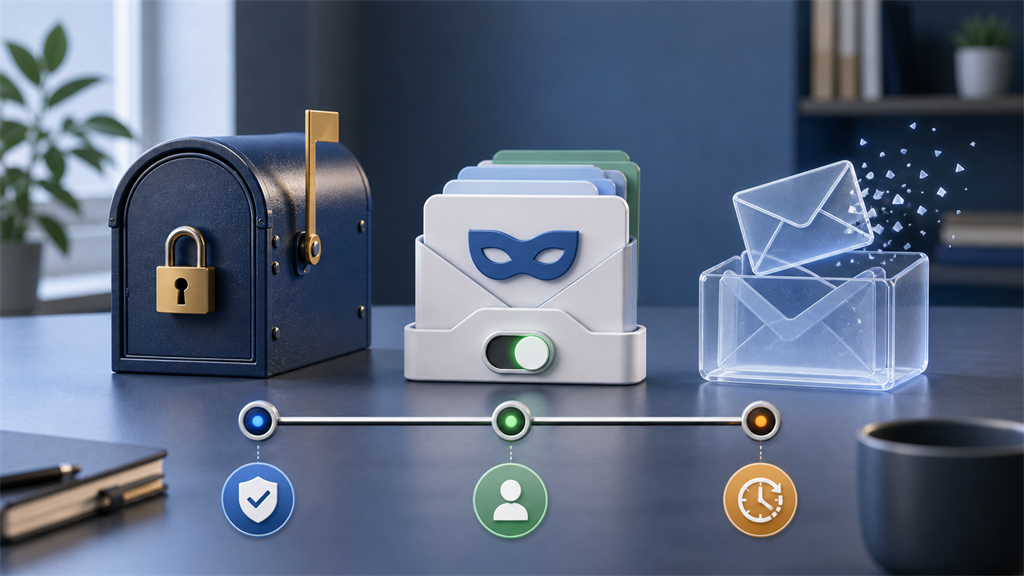
Level 1: Permanent email
Reserve your real permanent address for your most important relationships.
Examples:
- Family and personal communication
- Financial institutions
- Government
- Healthcare
- Employment
- Education
- Core account recovery
Level 2: Email aliases
Use unique aliases for services you want to keep but do not want connected directly to your primary address.
Examples:
- Shopping
- Subscriptions
- Newsletters
- Travel accounts
- Forums
- Software services
- Loyalty programs
Level 3: Temporary inboxes
Use disposable addresses when both the address and the interaction can safely disappear.
Examples:
- One-time verification
- Low-value downloads
- Short software trials
- Testing
- Disposable registrations
- Sites you are evaluating
This gives you much better compartmentalization than using one permanent email address everywhere.
An easy decision test
Before entering an email address, ask:
Will I need messages from this company next year?
Yes: Use a permanent address or alias.
No: Temporary email may be appropriate.
Would losing this account matter?
Yes: Do not depend on temporary email.
No: A temporary inbox may work well.
Do I want future messages in my normal inbox?
Yes: Use an alias.
No: Consider temporary email.
Does this involve money, important records, or sensitive information?
Yes: Use a durable, secure email address.
No: Temporary email may be suitable depending on the situation.
Examples
| Situation | Best choice |
|---|---|
| Bank account | Permanent email or durable alias |
| Government service | Permanent email |
| Healthcare portal | Permanent email |
| Amazon-style shopping account | Alias |
| Newsletter you enjoy | Alias |
| Streaming subscription | Alias |
| Airline account | Alias |
| Paid SaaS account | Alias |
| Social account you intend to keep | Alias or permanent email |
| Free PDF download | Temporary inbox |
| One-time verification | Temporary inbox |
| Testing a signup flow | Temporary inbox |
| QA test account | Temporary inbox |
| Site you are evaluating | Temporary inbox |
| Password-manager account | Permanent email |
| Cryptocurrency exchange | Permanent email or carefully managed durable alias |
| Disposable demo account | Temporary inbox |
Email privacy is about compartmentalization
There is no single "private email" solution that is ideal for everything.
Using one address for your entire online life creates a stable identifier that follows you across many services.
Using temporary email for everything creates the opposite problem: important accounts become difficult to recover.
Aliases occupy the middle ground.
A sensible privacy strategy uses different addresses based on the expected lifetime and importance of the relationship.
Think about email addresses as keys:
- Your primary address is a master key you should share selectively.
- An alias is a replaceable key for a particular relationship.
- A temporary address is a key you expect to throw away.
Choosing the right one reduces unnecessary exposure without sacrificing access to accounts that matter.
The bottom line
Email aliases and temporary inboxes both help prevent websites from receiving your permanent email address, but they are designed for different situations.
Use an email alias when:
- You want to keep the account
- You need future password recovery
- You expect receipts or support messages
- You want newsletters delivered normally
- You want to reply without revealing your primary address
- You want the ability to disable one address later
Use a temporary inbox when:
- You need one or a few messages
- The registration has little long-term value
- You do not want future email forwarded to your regular inbox
- You are testing software
- You are evaluating an unfamiliar service
- Losing access to the address will not matter
And use your permanent email address for relationships where reliability and recovery matter more than compartmentalization.
Neither aliases nor temporary inboxes make you anonymous. Websites can still collect information through your IP address, cookies, device, payment information, phone number, and other data you provide.
Their real value is simpler: they let you decide who gets your permanent email address and who does not.
When the interaction is genuinely short-lived, Catch Temp Mail lets you create a temporary inbox, receive the message you need, and keep the registration separate from your permanent email.