
How Email Tracking Pixels Work
By CatchTempMail · Published July 30, 2026
You open an email, read it, and close it without clicking anything. It may feel as though you have not shared any information with the sender, but the email may already have reported that it was opened.
This can happen through an email tracking pixel, also called a web beacon, spy pixel, tracking bug, pixel tag, or clear GIF. Tracking pixels are commonly used by newsletters, online stores, sales teams, analytics platforms, and marketing services to estimate whether recipients opened their messages.
Although a tracking pixel is usually described as an invisible image, the important part is not what the image looks like. It is the request your email app makes to an external server when it loads that image.
This guide explains how email tracking pixels work, what information they may reveal, why their reports are not always accurate, and what you can do to limit email tracking.
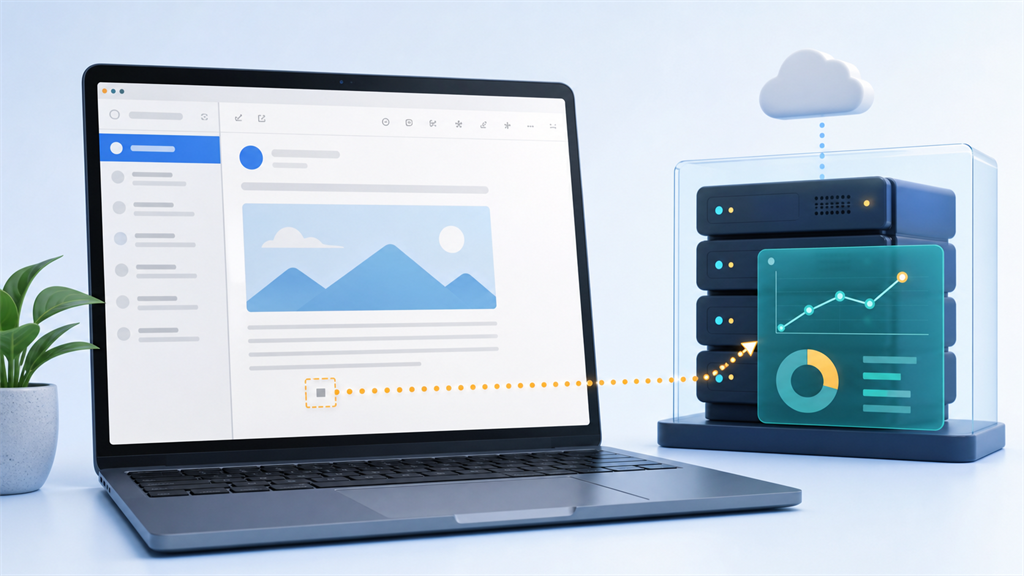
What is an email tracking pixel?
An email tracking pixel is usually a very small image embedded in an HTML email. It may be only one pixel wide and one pixel tall, transparent, or hidden among the other design elements in the message.
Unlike an image included directly as an email attachment, a tracking pixel is normally stored on a remote server. The email contains a link telling your email app where to retrieve it.
A simplified version might look like this:
<img
  src="https://example.com/email/open/recipient-12345.gif"
  width="1"
  height="1"
  alt=""
>
The image URL often contains a unique identifier connected to a particular recipient, campaign, or message.
When the email app requests that URL, the tracking system records the request. The sender may then see the message reported as "opened."
The UK Information Commissioner's Office describes tracking pixels as small pieces of code, usually involving an image file, that create communication between a user's client and a remote server.
How does an email tracking pixel work?
The process generally follows five steps.
1. A unique pixel URL is created
Before an email is sent, the sender's email platform generates a tracking URL. That URL may contain an identifier connected to:
- The recipient
- The email campaign
- The individual message
- The sender's account
- A particular mailing list
The URL does not necessarily contain the recipient's email address in readable text. It may use a random token or encoded identifier instead. However, the tracking platform can still connect that identifier to its internal recipient record.
2. The pixel is inserted into the email
The tracking URL is added to the HTML code of the message as an image.
The recipient normally cannot see it. The pixel can be transparent, extremely small, or placed in an area where it blends into the email design.
Tracking can also be attached to ordinary visible images. A company logo, banner, product photograph, or social media icon can perform a similar function if it is loaded from a recipient-specific URL.
3. The recipient opens the email
When the message is displayed, the email app decides whether to load external images.
Some apps load them automatically. Others block them, proxy them through an intermediary server, prefetch them, or ask the user for permission.
4. The email app requests the image
If external images are loaded, the recipient's email app or a privacy proxy working on its behalf sends an HTTP request to the server hosting the pixel.
The server returns the tiny image, just as a website server would return any other image.
5. The request is recorded
The tracking server records that the pixel URL was requested. Depending on the circumstances, the server may receive information such as:
- The date and time of the request
- The requesting IP address
- An approximate location based on that IP address
- The email app, browser, or proxy involved
- The operating system or device category
- Whether the same pixel was requested more than once
The sender's dashboard may then display an open, an estimated opening time, and other available information.
What can a tracking pixel reveal?
The exact information depends on the recipient's email provider, privacy settings, network, and device. It also depends on whether an email proxy retrieves the image instead of the recipient's device contacting the sender directly.
A tracking pixel may reveal or help infer the following.
Whether the external image was requested
This is the main purpose of an email tracking pixel. If the image URL is requested, the sender may classify the message as opened.
However, an image request does not prove that a person carefully read the email. The image could have been automatically downloaded, prefetched, scanned by security software, or retrieved by a privacy proxy.
When the request occurred
A tracking system may record a timestamp each time the image is requested.
Without privacy protections, this can sometimes show when a recipient opened a message and whether it appeared to be opened again later.
An IP address or approximate location
When a device connects directly to the sender's server, its public IP address may be visible to that server. The IP address can sometimes be used to estimate a country, region, or city.
This location is not necessarily precise. Mobile networks, corporate networks, VPNs, proxies, and privacy services can make the estimated location inaccurate.
Device or email-client information
The image request may include technical request headers. Depending on the email app and proxy, these may help identify the type of client, operating system, or device making the request.
Modern email privacy proxies often reduce or replace this information, so senders should not assume that it accurately identifies the recipient's actual device.
Repeated activity
If the remote image is requested multiple times rather than served from a cache, the sender may record multiple apparent opens.
That may suggest the email was revisited or viewed on more than one device. It can also be caused by automated systems, forwarding, caching behavior, or scanning tools.
Can a tracking pixel tell whether you actually read an email?
Not reliably.
A tracking pixel detects an image request, not human attention.
It cannot directly determine:
- Whether you read the entire message
- How carefully you read it
- Whether you understood it
- Whether the email was displayed only in a preview pane
- Whether an automated system loaded it
- Whether someone else opened a forwarded copy
- Whether a privacy service fetched it before you saw it
This distinction has become increasingly important because major email providers use image proxies and privacy systems.
Open-rate data can still provide broad marketing estimates, but it should not be treated as definitive proof that a particular person read a particular message.
How Gmail affects email tracking
Gmail normally serves externally hosted email images through Google's secure proxy servers instead of loading them directly from the original server on the recipient's device.
This means the image host may receive a request from Google rather than a direct request from the recipient's IP address.
Gmail's proxy can therefore reduce the sender's ability to determine:
- The recipient's real IP address
- Their precise network-based location
- Some device-specific information
- The number of times the original image was retrieved
Gmail users can also change the Images setting to Ask before displaying external images. When external images are not loaded, conventional image-based tracking generally cannot report an open from that viewing.
The message can still contain tracked links, however. Blocking images does not make every part of the email untraceable.
How Apple Mail Privacy Protection affects tracking
Apple's Mail Privacy Protection is designed to make it harder for email senders to learn about a recipient's Mail activity. Apple states that the feature helps prevent senders from learning information about that activity and protects the user's IP address.
When Protect Mail Activity is enabled, remote email content can be downloaded privately instead of being loaded in a way that directly exposes the recipient's activity to the sender.
As a result:
- The sender may not receive the recipient's real IP address
- Location estimates may become less useful
- A reported "open" may not correspond to the time the recipient actually read the message
- The pixel may load even when the recipient did not intentionally open or read the email
This has made traditional open rates considerably less reliable for messages delivered to users of supported Apple Mail privacy features.
Mail Privacy Protection does not necessarily prevent tracking when a recipient clicks a uniquely tagged link. Email-open tracking and link-click tracking are separate mechanisms.
How Outlook handles external images
Outlook products offer protections that can limit external-image tracking.
Microsoft explains that blocking external images can help protect privacy and prevent tracking through web beacon images. Some versions of Outlook block automatic image downloads by default or allow users to enable a setting that blocks external images.
Outlook.com can also load external images through an image proxy, reducing direct exposure of the user's network information to the original image host.
Exact behavior varies across Outlook on the web, classic Outlook, new Outlook, and the mobile applications. Users should review the privacy and external-image settings in the specific Outlook product they use.
Tracking pixels versus tracked links
A tracking pixel and a tracked link are related but different.
A tracking pixel attempts to record when remote content is loaded. A tracked link attempts to record when someone clicks a link.
A normal-looking link may first send the user through a tracking server:
https://tracking.example.com/click/unique-recipient-idThe tracking service records the click and then redirects the user to the intended website.
Tracked links can reveal stronger intent than an image request because they require an interaction. They can also continue working even when external images are blocked.
A privacy proxy that protects image loading does not automatically anonymize links you choose to open.
Before clicking an unfamiliar link, inspect its destination when possible and confirm that the message is legitimate.
Does using a VPN stop email tracking pixels?
A VPN can hide your ordinary public IP address from a remote image server if your email app loads the image through the VPN connection.
However, a VPN does not prevent the image from loading.
If the pixel URL is uniquely associated with your email address, the sender may still learn that the address received an apparent open. The server will simply see the VPN server's IP address instead of your usual one.
A VPN can therefore reduce network and location exposure, but it is not a complete defense against email tracking.
Does a temporary email address block tracking pixels?
Not automatically.
A temporary email address can protect your primary inbox and reduce the amount of long-term information connected to a registration. It can also make it easier to abandon an address after it has served its purpose.
However, if a temporary inbox loads a remote tracking image, the sender may still receive an image request.
The difference is that the activity is connected to the temporary address rather than directly to your permanent personal or work address.
A temporary email address is useful for reducing persistent identity exposure, but it should not be confused with an image-blocking or network-anonymization tool.
For stronger separation, combine temporary email with sensible precautions:
- Avoid including personal information in the temporary address
- Do not reuse the same temporary address across unrelated services
- Be cautious about loading external images
- Avoid opening suspicious links
- Do not use temporary email for important long-term accounts
- Never use it for banking, healthcare, government services, or accounts you may need to recover later
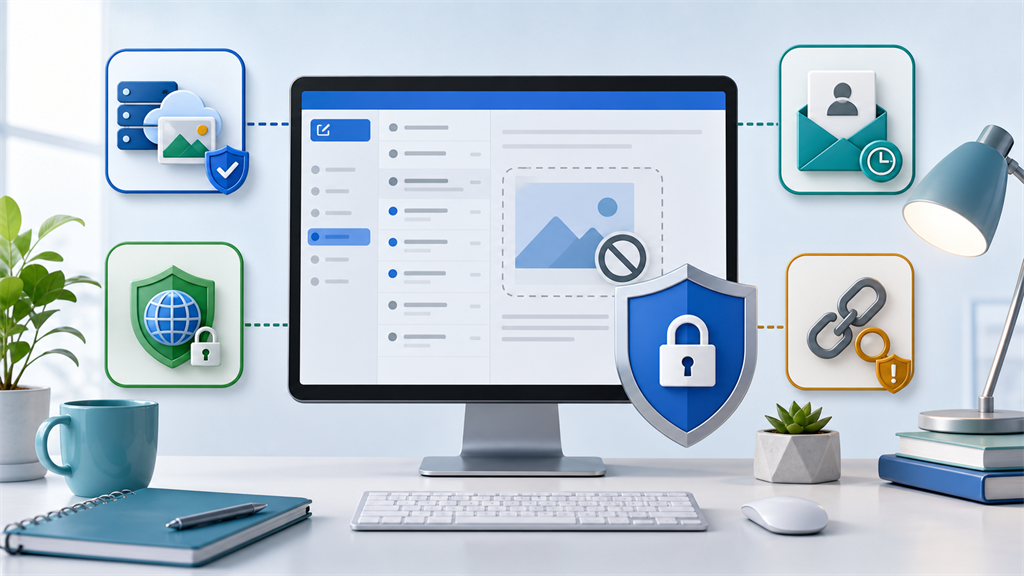
How to reduce email pixel tracking
No single setting prevents every form of email tracking, but several measures can reduce it.
Block automatic external-image loading
This is one of the most direct defenses against conventional tracking pixels.
When remote images are blocked, the email can usually still be read as text. You can then choose to load images only for messages and senders you trust.
Remember that enabling images for a message may also load its tracking pixel.
Use built-in mail privacy features
Privacy features offered by Apple, Gmail, Outlook, and other email providers can proxy or privately fetch remote images.
These features can reduce exposure of your real IP address and make open times less reliable.
Their protections vary, so review the documentation and settings for your particular email app.
Be cautious with links
Blocking images does not stop click tracking.
Avoid opening links in unexpected messages, especially when the email creates urgency or asks you to sign in, enter payment details, or provide a verification code.
For important accounts, open the service's official website or app directly instead of using the link in the message.
Use separate email addresses
Using different addresses for different purposes makes it harder to build one complete profile of your activity.
You might use:
- A permanent address for personal communication
- A dedicated address for shopping
- An alias for newsletters
- A work address for professional communication
- A temporary address for short-lived, low-risk registrations
Catch Temp Mail can help keep one-time registrations and unwanted promotional messages away from your permanent inbox.
Unsubscribe from legitimate marketing messages
For reputable businesses, use the unsubscribe option when you no longer want the messages.
For suspicious or clearly fraudulent emails, avoid clicking an unsubscribe link. That action could confirm that the address is active. Mark the message as spam or phishing instead.
Keep your email software updated
Privacy protections and remote-content controls change over time. Keeping the operating system and email application updated helps ensure you receive current security and privacy improvements.
Are email tracking pixels legal?
The answer depends on the country, the type of email, the information collected, and how the sender handles personal data.
In the United Kingdom, the Information Commissioner's Office states that organizations using tracking pixels in electronic marketing must consider rules covering storage and access technologies, along with applicable electronic-marketing and data-protection requirements.
Other jurisdictions may impose different requirements involving consent, disclosure, legitimate interests, data retention, and the handling of personal information.
Businesses using email tracking should obtain appropriate legal guidance for the regions in which they operate. This article provides general information and is not legal advice.
Are all externally loaded images tracking pixels?
No.
Many emails legitimately load logos, product images, receipts, maps, buttons, and other visual content from external servers.
The privacy concern is that any external image request can potentially be logged. Even an ordinary visible image can function as a tracking mechanism when it has a unique URL or identifying parameters.
It is therefore not always possible to identify tracking merely by looking for a tiny transparent image.
Can you detect a tracking pixel inside an email?
Sometimes, but detection is not always straightforward.
Possible signs include:
- A one-pixel transparent image
- An unfamiliar remote image domain
- A long image URL containing unique identifiers
- Images served by a marketing or analytics platform
- HTML elements hidden through dimensions or styling
However, senders can place tracking identifiers in visible images, and ordinary image-hosting URLs can also look complicated.
Viewing the raw HTML source may reveal remote image references, but most users will find it more practical to block external images or use their email provider's privacy protection.
The bottom line
Email tracking pixels work by causing an email app or privacy proxy to request an externally hosted image. The server records that request and may report the email as opened.
Depending on the email provider and privacy settings, the request may also expose or help estimate an IP address, location, device type, email client, and opening time. However, proxies, caching, automatic downloads, and security scanners mean that pixel-based open reports are not always accurate.
A temporary email address can reduce the connection between this activity and your permanent identity, but it does not automatically block tracking images. For better privacy, use temporary or separate addresses where appropriate, control external-image loading, enable built-in mail privacy features, and remain cautious about tracked links.
Need an address for a short-lived registration? Use Catch Temp Mail to create a temporary inbox and keep unnecessary messages away from your permanent email account.