
What to Do If Your Email Address Is in a Data Breach
By CatchTempMail · Published August 2, 2026
Finding your email address in a data breach can be unsettling.
It does not always mean someone has access to your email account. Often it means another website stored your address and that website's data was exposed.
The risk depends on what else was leaked.
An exposed email address can lead to spam, phishing, credential-stuffing attempts, and more convincing scams. If a reused password was also exposed, the risk is much higher.
This guide explains what to check, what to change, and how to reduce future exposure.
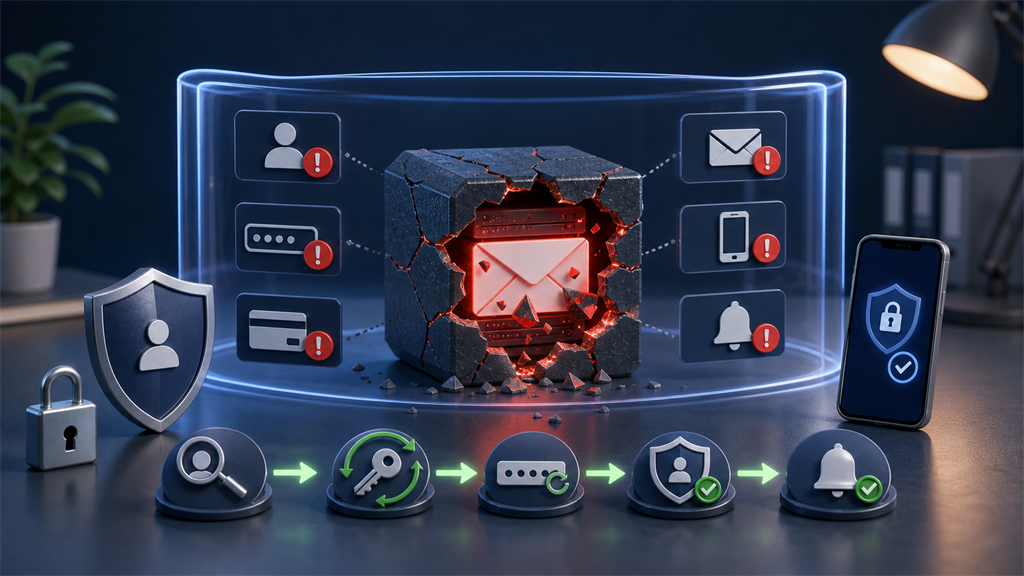
First, identify what was exposed
A breach may expose only an email address, or it may include additional data.
Look for signs that the breach involved:
- Passwords or password hashes
- Names
- Phone numbers
- Shipping addresses
- Billing information
- Dates of birth
- Security questions
- Account activity
- IP addresses
- Purchase history
The more personal or reusable the exposed data is, the more urgently you should respond.
You can check known breach exposure through services such as Have I Been Pwned, which lets users search whether an email address appears in known breaches.
Change reused passwords immediately
The most important question is:
Did I reuse the breached password anywhere else?
If yes, change it everywhere it was reused.
Attackers often try leaked username and password combinations on other services. This is called credential stuffing.
Use a unique password for every account.
For accounts that matter, use a password manager and choose long passwords. Current NIST digital identity guidance emphasizes password length and protection against known compromised passwords.
Secure your email account first
Your email account is often the recovery path for other services.
If your primary email account is compromised, attackers may reset passwords elsewhere.
Secure it by:
- Changing the password
- Enabling multifactor authentication
- Reviewing recovery email and phone settings
- Checking active sessions
- Removing unfamiliar devices
- Reviewing forwarding rules
- Reviewing connected apps
Do this before focusing on lower-value accounts.
Enable multifactor authentication
Multifactor authentication can reduce the damage from a stolen password.
Enable it for:
- Banking
- Password managers
- Cloud storage
- Work accounts
- Social media
- Developer accounts
- Payment services
Authenticator apps, security keys, and platform passkeys are generally stronger than SMS codes, although any additional factor is often better than password-only access.
Watch for phishing after the breach
Scammers may use breached data to make messages more convincing.
A phishing email may include:
- Your real name
- An old password
- A phone number
- A purchase detail
- A company you used
- A partial address
That does not prove the sender has current access to your accounts.
It may simply mean they obtained old breach data.
Learn how to inspect suspicious messages in How to Identify Phishing Verification Emails.
Do not panic over old passwords
Some scam emails display an old password and claim your device was hacked.
If the password is old and no longer used, the sender may be relying on breach data rather than actual access.
Do not pay the sender.
Instead:
- Confirm the password is not still used anywhere
- Change it where needed
- Enable multifactor authentication
- Report the message as spam or phishing
The FTC identity theft recovery site provides guidance for more serious cases involving identity information.
Review important accounts
For valuable accounts, check:
- Recent sign-ins
- Recent password changes
- Recovery information
- Connected devices
- Payment methods
- Forwarding rules
- API keys or app passwords
- Security notifications
If you see unfamiliar activity, follow the service's official recovery process.
Do not use phone numbers or links from suspicious emails.
Replace exposed email addresses where practical
If the exposed address was your primary email, you may not be able to replace it everywhere quickly.
Prioritize:
- Financial accounts
- Healthcare
- Government
- Work and school
- Password managers
- Important subscriptions
For lower-value accounts, consider using aliases or a separate address going forward.
For disposable signups, use temporary email so your primary address is not stored by low-trust sites.
Use aliases for future compartmentalization
Aliases help limit breach impact.
If each service has its own alias, a future breach exposes that alias rather than your primary address.
You may also be able to disable the affected alias.
See Email Aliases vs. Temporary Email for when aliases are better than disposable inboxes.
Use temporary email for low-value registrations
Temporary email is useful after a breach because it reduces how often you hand out your permanent address.
Use it for:
- One-time verification
- Free downloads
- Low-risk trials
- Unknown websites
- Testing
Do not use it for accounts you need to recover later.
For safety rules, see How to Use Temporary Email Safely.
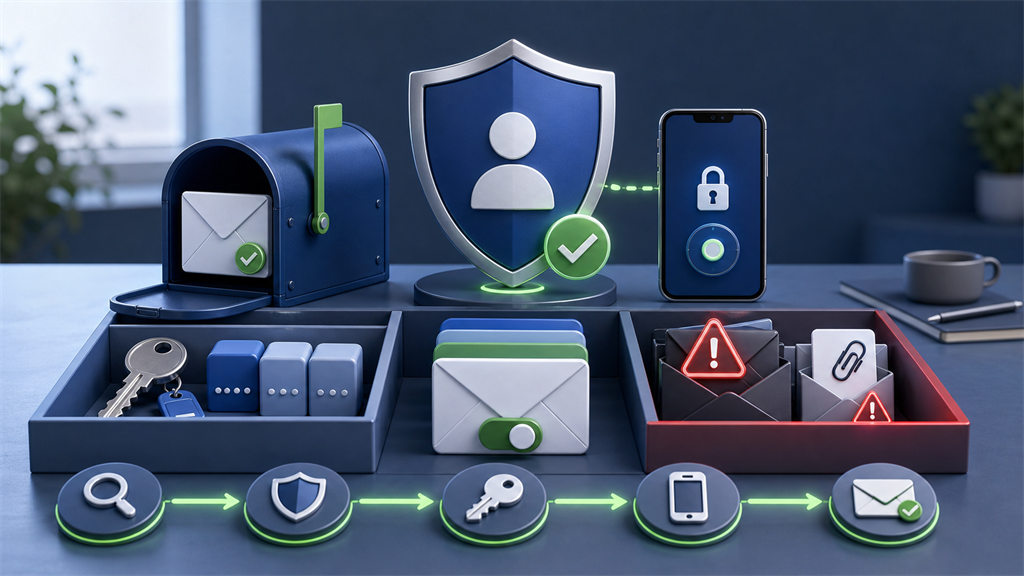
Breach response checklist
After learning your email was exposed:
- Identify what data was included.
- Change any reused passwords.
- Secure your primary email account.
- Enable multifactor authentication.
- Review important accounts for unfamiliar activity.
- Watch for targeted phishing.
- Replace exposed addresses where practical.
- Use aliases or temporary email for future low-trust signups.
When to take extra action
Take additional steps if the breach included financial, government, medical, or identity information.
Depending on your country and situation, you may need to:
- Contact a bank or card issuer
- Freeze or monitor credit
- Report identity theft
- Replace identity documents
- Notify an employer
- Follow legal or regulatory reporting procedures
The right response depends on the type of data exposed.
Understand severity levels
Not every breach creates the same risk.
Use the exposed data to estimate severity:
| Exposed data | Typical risk |
|---|---|
| Email address only | Spam and phishing |
| Email plus name | More personalized phishing |
| Email plus phone | Text-message scams and calls |
| Email plus reused password | Account takeover attempts |
| Email plus payment details | Fraud monitoring needed |
| Email plus identity documents | Identity theft risk |
An email-only exposure still matters, but it is usually less urgent than a breach involving passwords or financial data.
Do not ignore it.
Just match your response to the risk.
Check for password reuse beyond the breached site
People often remember changing the password on the breached website but forget where else it was reused.
Search your password manager, browser password list, or memory for similar passwords.
Attackers may try variations, not just the exact password.
If the exposed password was:
BlueRiver2024!they may also try related versions with different years, punctuation, or capitalization.
Do not keep using a pattern that has been exposed.
Replace related passwords with unrelated unique ones.
Watch your recovery chain
Account security often depends on a chain of recovery options.
For example:
- Your bank can reset through your email
- Your email can reset through your phone
- Your phone account can reset through your email
- Your password manager can recover through your email
If one part of the chain is weak, other accounts can be affected.
After a serious breach, review the recovery chain for important accounts.
Make sure recovery email addresses and phone numbers are current and controlled by you.
Remove old addresses, old devices, and recovery options you no longer use.
Review mail forwarding and rules
If attackers ever access an email account, they may add hidden forwarding rules.
Those rules can copy future messages to another address even after the password is changed.
Check your email account for:
- Forwarding addresses
- Filters that hide security messages
- Delegated mailbox access
- Connected apps
- App passwords
- Unknown recovery options
This is especially important if you believe your actual email account, not just an account at another website, may have been compromised.
Expect more convincing scams
After a breach, scams may sound specific.
They may mention a real company, old account, partial address, or previous password.
Common post-breach scams include:
- Fake security alerts
- Fake password reset warnings
- Fake invoice disputes
- Fake delivery problems
- Fake account closures
- Sextortion messages using old passwords
- Calls pretending to be fraud departments
Specific details are not proof that the sender has current access.
Treat them as clues that old data is circulating.
Consider passkeys or security keys for critical accounts
For high-value accounts, passwords plus SMS codes may not be enough.
Passkeys and hardware security keys can reduce phishing risk because they are designed to work with the legitimate domain.
Use stronger authentication where available for:
- Primary email
- Password manager
- Financial accounts
- Cloud storage
- Work accounts
- Developer platforms
No security control is perfect, but phishing-resistant authentication can greatly reduce the damage from password exposure.
Decide whether to retire an exposed address
You do not always need to abandon an email address after a breach.
Retiring it may make sense when:
- Spam is unmanageable
- The address is tied to repeated breaches
- It appears on public lists
- It includes your real name and you want more separation
- You can migrate important accounts safely
Keeping it may make sense when:
- It is your long-term identity
- Important contacts use it
- You can secure it well
- Spam filtering is manageable
- Replacing it would create recovery risks
If you create a new primary address, migrate carefully.
Do not lose access to accounts during the transition.
Use a monitoring routine
After a breach, set a routine for the next few months.
Review:
- Security alerts
- Login history on important accounts
- Financial transactions
- Password manager health reports
- Email forwarding rules
- Recovery methods
- New phishing patterns
You do not need to obsess over every spam message.
You do need to pay attention to signs of account takeover or financial misuse.
Future-proof your signups
The best breach response is also prevention for the next breach.
Going forward:
- Use unique passwords
- Enable multifactor authentication
- Use aliases for accounts you keep
- Use temporary email for low-value registrations
- Avoid giving unnecessary phone numbers
- Avoid storing sensitive data in weak accounts
- Delete accounts you no longer use
Every website you use is a possible future breach source.
Compartmentalization limits how much one breach can expose.
What temporary email can and cannot do after a breach
Temporary email can reduce future exposure of your primary address.
It cannot remove your address from a breach that already happened.
It also cannot protect accounts where you reused passwords, shared payment data, or entered personal details.
Use it as part of a forward-looking strategy:
- Keep important accounts on durable addresses
- Put long-term but lower-risk services on aliases
- Put disposable signups on temporary inboxes
This reduces the chance that the next low-value website breach exposes your main identity.
Do not trust breach notification emails blindly
After a public breach, scammers may send fake breach notifications.
These messages may claim that you must click a link to:
- Change your password
- Verify your account
- Claim compensation
- Download a report
- Prevent account closure
- Confirm identity
Do not use links from a message you do not trust.
Go to the company's official website or app directly.
If the breach involves a service you use, check its official support page, blog, or account security area.
Real breach notifications can be important, but fake ones are a common way to steal credentials from worried users.
Create a post-breach priority list
If many accounts are affected, handle the highest-risk accounts first.
Priority one:
- Primary email
- Password manager
- Banking and payment accounts
- Work and school accounts
- Cloud storage
Priority two:
- Shopping accounts with saved cards
- Social media
- Developer platforms
- Healthcare portals
- Government services
Priority three:
- Forums
- Newsletters
- Old trial accounts
- Low-value services
This prevents spending time on minor accounts while critical recovery paths remain exposed.
Learn from the breach
A breach is also a chance to improve your system.
Ask what would reduce the damage next time:
- Fewer sites knowing your primary address
- Unique passwords everywhere
- More accounts using multifactor authentication
- Aliases for long-term services
- Temporary email for disposable signups
- Deleting accounts you no longer use
- Keeping recovery information current
The goal is not to eliminate all risk.
The goal is to make the next breach less useful to attackers.
The bottom line
An exposed email address is a warning sign, not always a disaster.
The biggest risks come from reused passwords, compromised recovery paths, and targeted phishing.
Secure your email account, change reused passwords, enable multifactor authentication, and separate future signups with aliases or temporary email.
Catch Temp Mail can help keep low-value registrations away from your permanent address so future breaches expose less of your everyday identity.